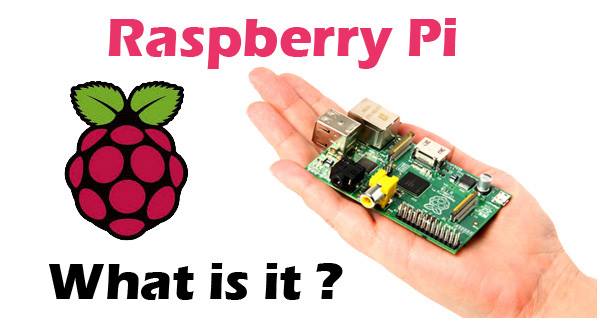
So what exactly is a Raspberry Pi? Food? If you came here thinking it’s food then my friend you have come to the wrong place. If you didn’t come here thinking it's food then let's get started and learn what it is.
The teacher of our teachers, Wikipedia says "The Raspberry Pi is a series of credit card-sized single-board computers developed in the United Kingdom by the Raspberry Pi Foundation to promote the teaching of basic computer science in schools and developing countries.” That’s pretty much it. It's just a basic computer which can be programmed to do anything that your personal computer or a laptop does. Interestingly, you don’t even have to be a professional programmer or an engineer to make your Raspberry Pi do things. Sounds cool right? Let's learn more then.
I assume most of you might be wondering how a computer (or appropriately a credit-card-sized board) got such a delicious name. The answer as given by the founder Eben Upton in an interview is:
Raspberry is a reference to a fruit naming tradition in the old days of microcomputers. A lot of computer companies were named after a fruit. There's Tangerine Computer Systems, Apricot Computers, and the old British company Acorn, which is a family of fruit. Pi is because originally we were going to produce a computer that could only really run Python. So the Pi in there is for Python. Now you can run Python on the Raspberry Pi but the design we ended up going with is much more capable than the original we thought of, so it's kind of outlived its name a little bit.
Already in love with Raspberry pi? Let me tell you something, its not even that expensive. You can get one for $20 to $35 depending on which model you want. The prices I mentioned don’t include local taxes and shipping/handling fees. The currently available models of the Raspberry Pi are Pi 2 Model B, the Pi 3 Model B, the Pi Zero, and the Pi 1 Model B+ and A+.
Let's get physical now and learn more about the differences in the models. The Model A+ is the low-cost variant of the Raspberry Pi. It has 256MB RAM, one USB port, 40 GPIO pins, and no Ethernet port. The Model B+ is the final revision of the original Raspberry Pi. It has 512MB RAM (twice as much as the A+), four USB ports, 40 GPIO pins, and an Ethernet port. In February 2015, it was superseded by the Pi 2 Model B, the second generation of the Raspberry Pi. The Pi 2 shares many specs with the Pi 1 B+, but it uses a 900MHz quad-core ARM Cortex-A7 CPU and has 1GB RAM. The Pi 2 is completely compatible with first-generation boards and is the model we recommend for use in schools, due to its flexibility for the learner. The Pi 3 Model B was launched in February 2016; it uses a 1.2GHz 64-bit quad-core ARM Cortex-A53 CPU, has 1GB RAM, integrated 802.11n wireless LAN, and Bluetooth 4.1. Finally, the Pi Zero is half the size of a Model A+, with a 1Ghz single-core CPU and 512MB RAM, and mini-HDMI and USB On-The-Go ports. Only the Pi 3 has built-in WiFi, but all other models can support a USB WiFi dongle. To make an in-depth comparison between the models follow this link
So you have a new Raspberry Pi and are too excited to make your new project happen? But wait. I have a piece of bad news for Windows users. The Pi will not run any version of Windows. You will have to get your Pi working on some other distributions. The recommended distro is Raspbian, which is specifically designed for the Raspberry Pi. In addition, Arch Linux and Pidora run on Raspberry Pi 1 and 2. Ubuntu MATE and Ubuntu Snappy Core also run on Pi 2. You can use NOOBS(New Out of Box Software) to install the distro of your choice in your Pi even if you have little to no computing or Linux experience. NOOBS is just a recommended installation method to install a distro in your Pi.
So after installing the appropriate distro in your Pi, you should start writing some codes. The Raspberry Pi foundation recommends Python as the language for the learners. However, you are not limited to using just Python. C, C++, Java, Scratch, and Ruby all come installed by default on the Raspberry Pi.
For the upcoming Software Freedom Day (a global event celebrated to encourage the use of free software), I am assigned to deal with Raspberry Pi and conduct a demo for the event. I did some research on Raspberry Pie and tried my best to cover all the important topics in this blog post. I hope this was helpful. Any queries and comments are highly encouraged.